Description
This report shows the overrings per operator and business day for a configurable time span and restaurant.
Three different views can be selected.
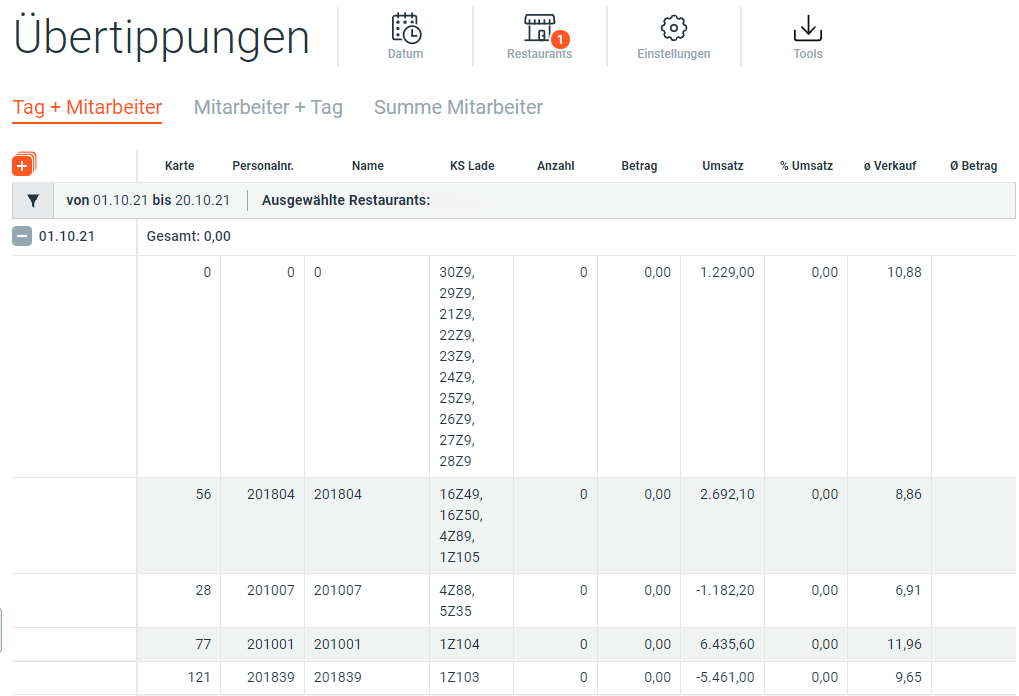
View Day + Employee
Shows the overrings for the selected period per day.
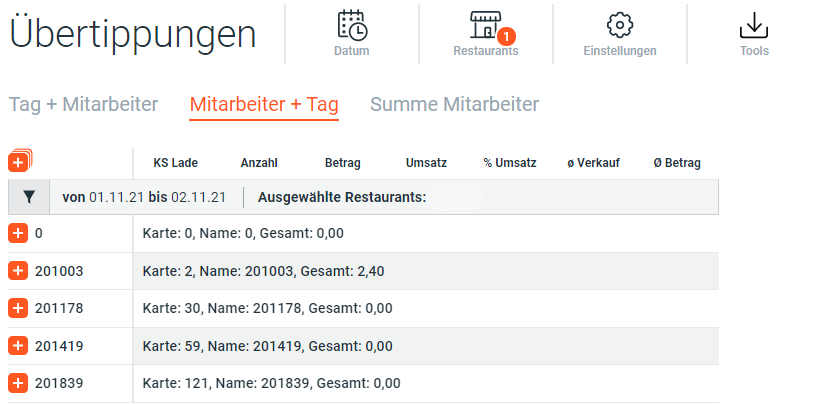
View Employee + Day
Shows the overrings for the selected period per employee.
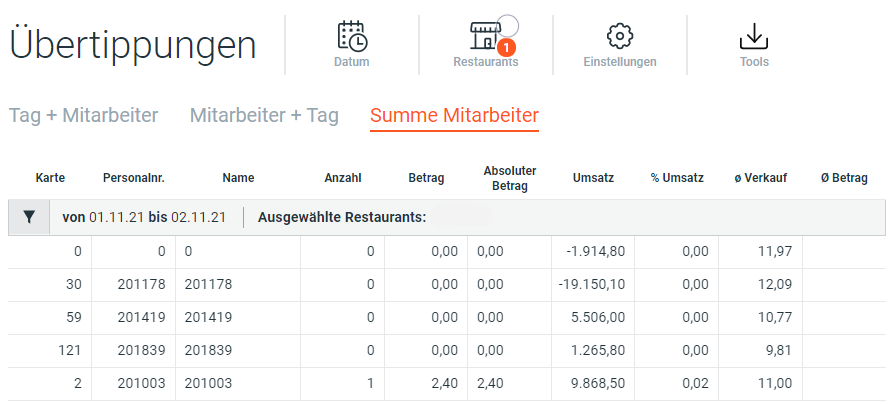
View Sum by Employee
Shows the sum of overrings for the selected period of all employees.
Row Details
| Name | Unit | Description |
|---|---|---|
| Card | Integer | Badge Number |
| Emp. No. | Integer | Employee Number |
| Name | String | Name of employee or POD e.g. Kiosk |
| Drawer | String | Pos Number, Drawer Number |
| Number | Integer | Number |
| Amount | Decimal | Difference Native Currency |
| Sales | Decimal | [Sales In + Take Away + Other] |
| % Sales | % | Percentage share of total sales |
| % Net Sales | % | Percentage share of total net sales |
| AVG Sales | Decimal | [Total Sales / Guest Count] |
| Absolute Amount | Decimal | Absolute Amount |
| AVG Amount | Decimal | AVG Amount |