Description
This report shows the cash differences per operator and business day for a configurable time span and restaurant.
Three different views can be selected.
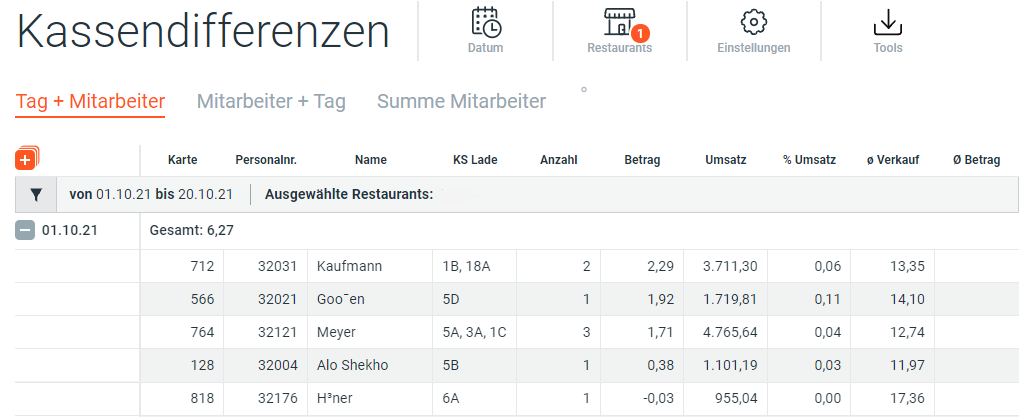
View Day + Employee
Shows the cash differences incurred for the selected period per day.
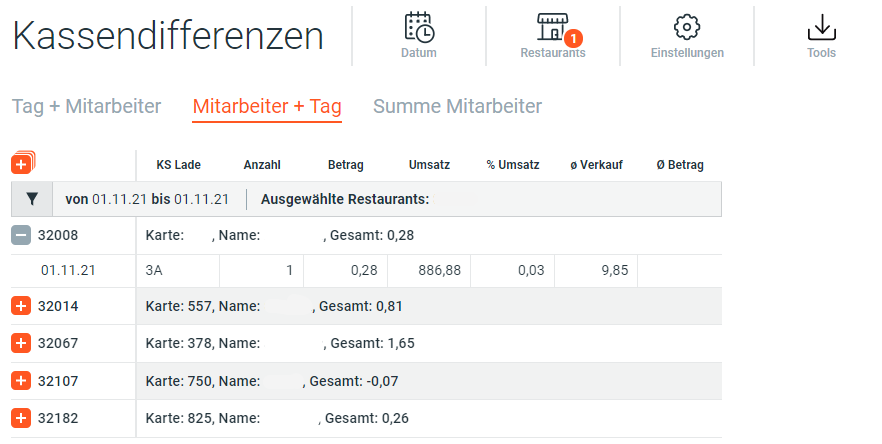
View Employee + Day
Shows the cash differences incurred for the selected period per employee.
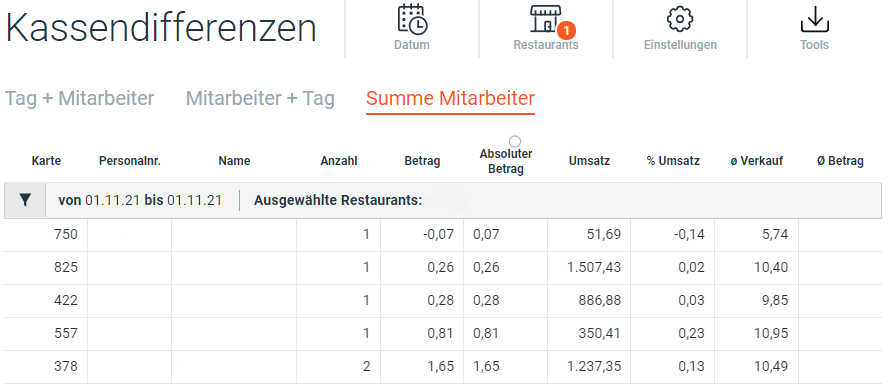
View Sum by Employee
Shows the total of the cash differences incurred for the selected period for all employees.
Row Details
| Name | Unit | Description |
|---|---|---|
| Card | Integer | Badge Number |
| Emp. No. | Integer | Employee Number |
| Name | String | Name of employee or POD e.g. Kiosk |
| Drawer | String | Pos Number, Drawer Number |
| Number | Integer | Number |
| Amount | Decimal | Difference Native Currency |
| Sales | Decimal | [Sales In + Take Away + Other] |
| % Sales | % | Percentage share of total sales |
| % Net Sales | % | Percentage share of total net sales |
| AVG Sales | Decimal | [Total Sales / Guest Count] |
| Absolute Amount | Decimal | Absolute Amount |
| AVG Amount | Decimal | AVG Amount |