This is a guide on how to import data from a Webcockpit API to Excel using Power Query and the getsalesperbusinessday API as an example.
Step-by-Step
- Open a new Excel Sheet
- On the data tab click on ‘Get Data’ -> ‘From Other Sources’ -> ‘Blank Query’
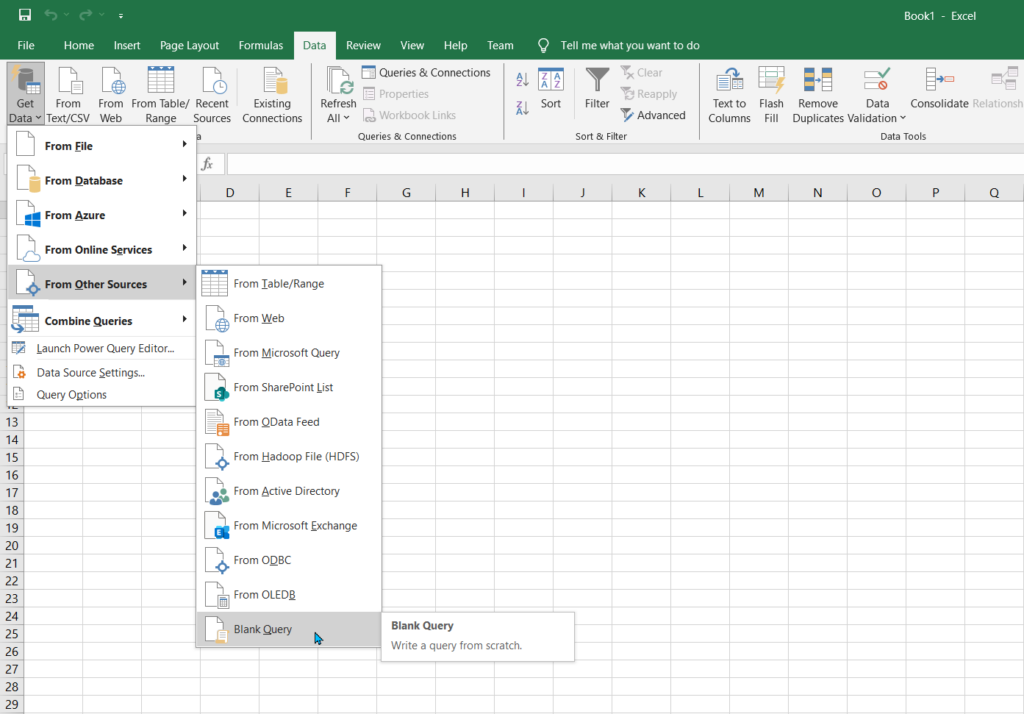
3. In the Power Query Editor that is now open, click on ‘Advanced Editor’

4. Replace the content in this editor with the following code and click on ‘Done’
let
url = “https://api.webcockpit.app/api/Default/getsalesperbusinessday”,
headers = [
#”accept” = “application/json”,
#”X-Api-Key” = “”,
#”Content-Type” = “application/json”
],
postData = Json.FromValue([BusinessDay = “2023-12-14”]),
response = Web.Contents(url, [Headers=headers, Content=postData]),
jsonResponse = Json.Document(response)
in
jsonResponse
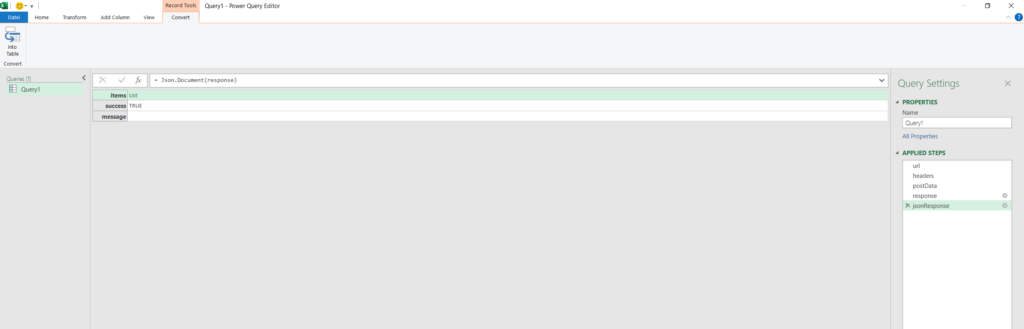
5. When the data was successfully loaded you will see the following screen from where you need to transform the result into what works best for you.
Further Steps
If you need data from a different API endpoint you just need to adapt the ‘url’ parameter and the value of the ‘postData’ object.
Using the getsalesandguestsforbusinessday API as an example, the changes would look like this
url = “https://api.webcockpit.app/api/Store/getsalesandguestsforbusinessday”
postData = Json.FromValue([CountryCode= “<Your CountryCode>”, StoreNumber= <Your store number>, BusinessDay= “2024-01-16”])