PRO Features

Comparison BASIC vs. PRO

Complete comparison Webcockpit Basic and PRO: https://get.webcockpit.app/#features

Prices: https://webcockpit.app/management/administrator/managesubscription

Advantages Webcockpit PRO

More support and data history

Webcockpit PRO includes direct telephone support, as well as our 24h response time guarantee for all service requests (business days, Baden-Württemberg). In addition, we double the retention periods for historical data, e.g. consolidated sales data are available for 10 years.

After the initial setup of Webcockpit, the history is built up. During the initial setup, we can only process the data retroactively to a limited extent.

Packaging Fee

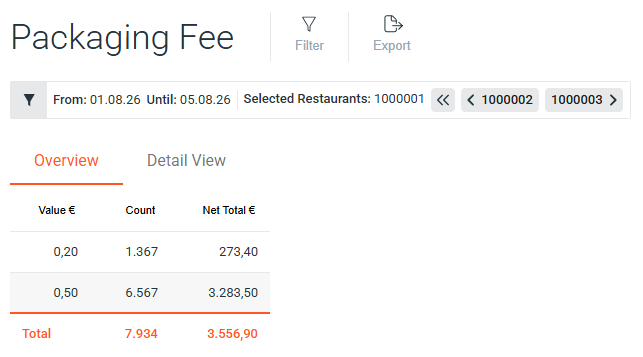
The Packaging Fee report provides you with full transparency over all incurred tax amounts and packaging quantities in your restaurants. Ideal for precise analysis and optimal preparation for your accounting.

Further information: Documentation

Packaging Fee

Restaurant Groups

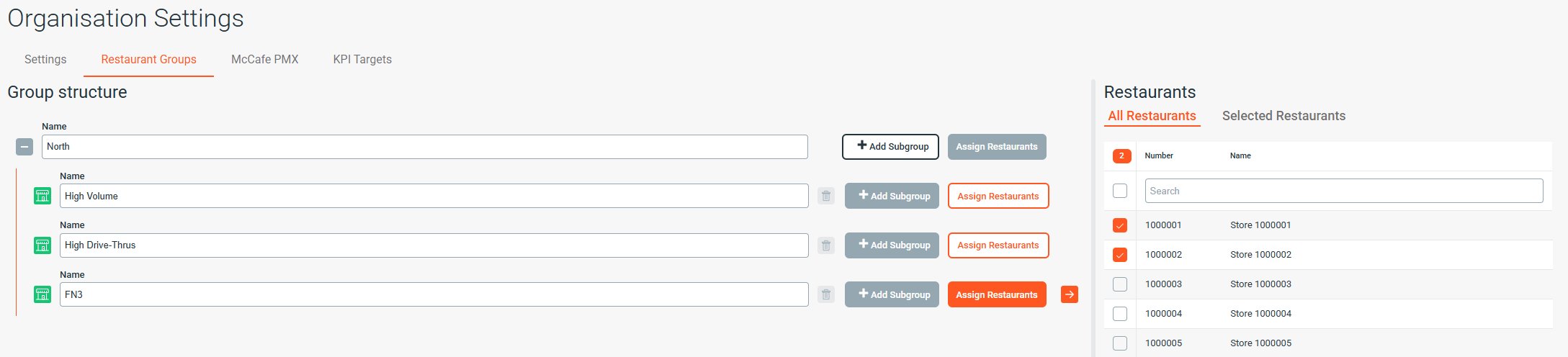
A powerful new feature designed to drastically simplify management and reporting for admins overseeing multiple locations. Restaurant Groups allow you to define and save custom collections of restaurants based on criteria relevant to your organization (such as geographic regions, store performance, or operational types). Instead of manually selecting the same locations for every report or dashboard, you can now apply your predefined groups with a single click.

Further information: Documentation

Restaurant Groups

Daily KPI

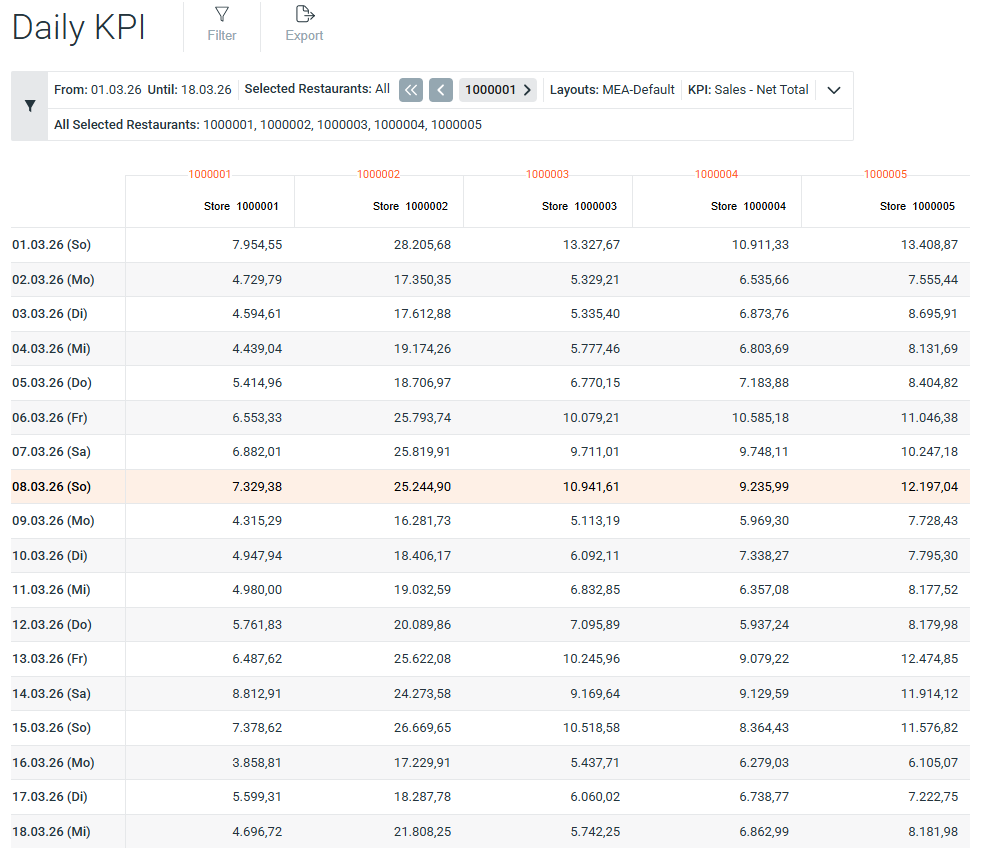
The Daily KPI Report provides a comprehensive overview of your most critical metrics in a single view. This powerful tool enables deep insights and comparative analysis across all your operations.
  • Extensive KPI Library: Access and select from over 450 available KPIs pulled from all your integrated systems.
  • Flexible Layout Selection: Choose the KPIs you need from any existing system default or use your own custom-built and saved layouts.
  • Multi-Unit Comparison: Gain valuable competitive insights by selecting and comparing multiple restaurant locations within a single report.

Further information: Documentation
Daily KPI

Deposit

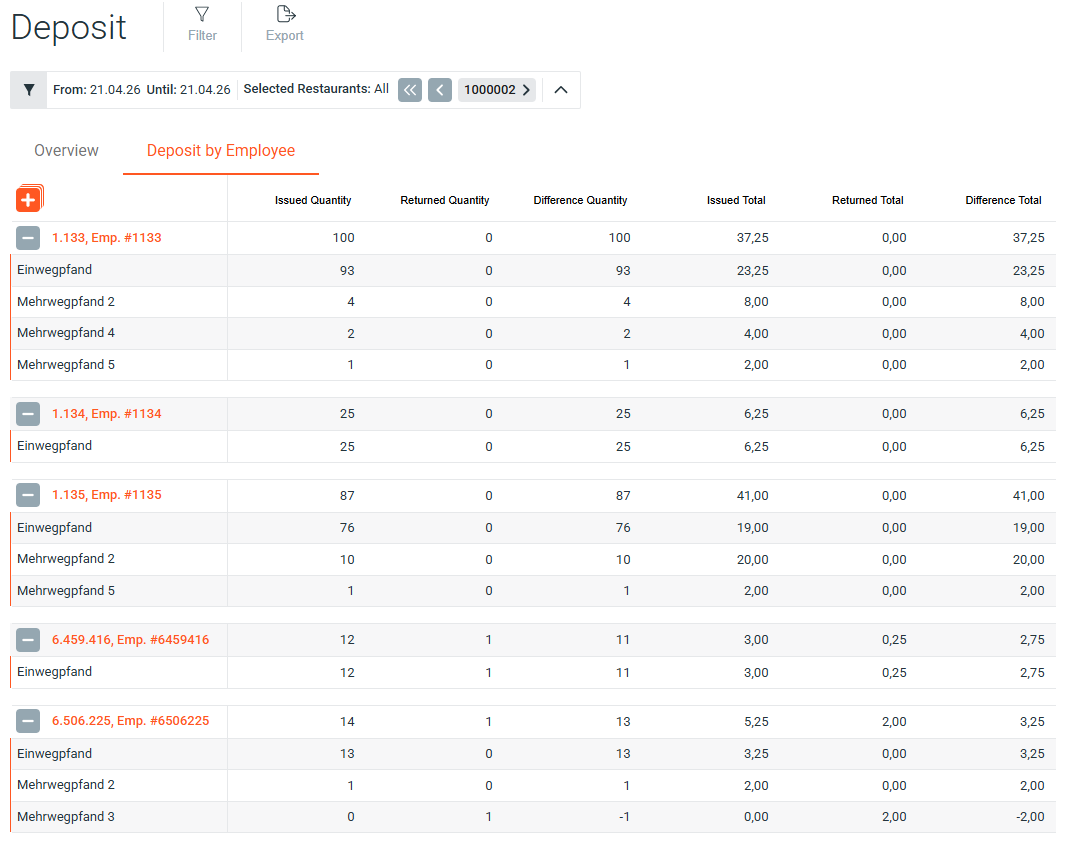
Provides a clear, comprehensive overview of deposit returns, helping you track and manage transactions with greater efficiency. The report delivers detailed insights into returns processed by your team, linking every transaction directly to the responsible employee. It is an essential tool for reconciling cash balances and ensuring full accountability in deposit handling.

Further information: Documentation

Deposit

Receipts

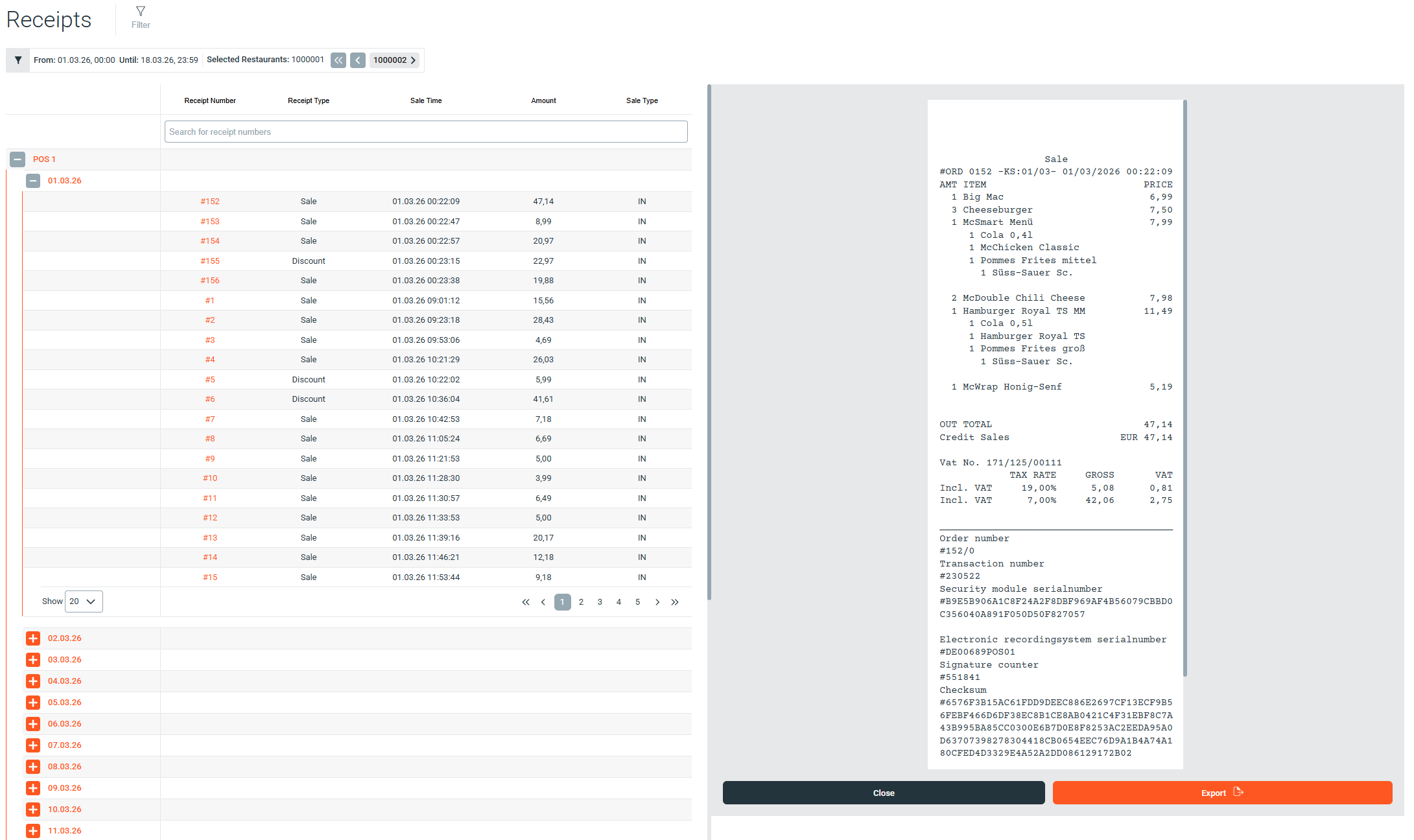
The Receipts report provides a comprehensive, itemized list of all transactions recorded across your restaurants. Empower your analysis with powerful filters that allow you to drill down and quickly locate the exact receipts you need.

Further information: Documentation

Receipts

Webcockpit Dashboards

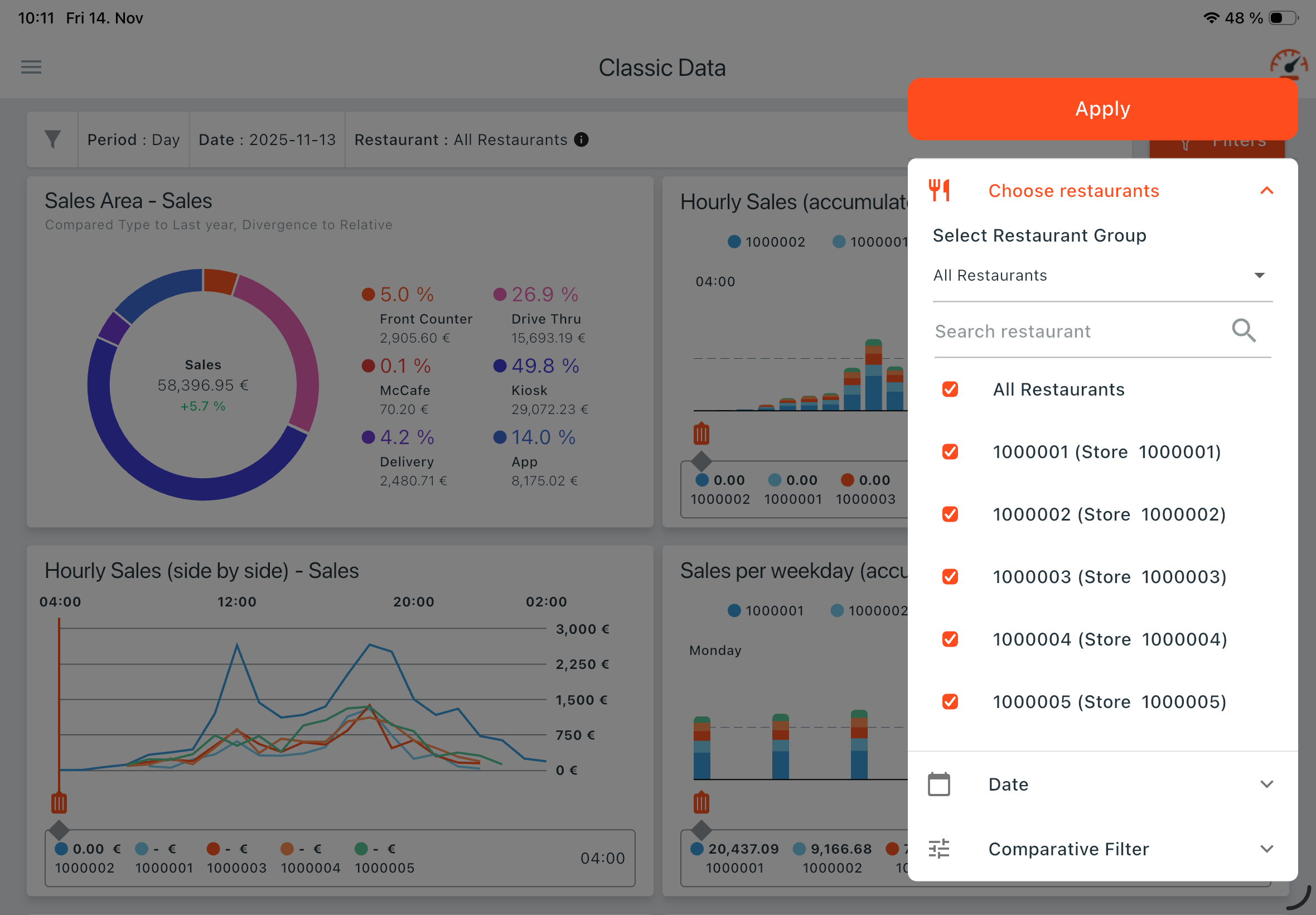
This dedicated mobile application brings the power of your Webcockpit Dashboards directly to your tablet, allowing you to monitor and present your most critical business data with unprecedented mobility and ease. As the perfect companion to the Webcockpit Web App, it is designed to seamlessly display both system defaults and the custom dashboards you’ve already created. Your data is now fully accessible and clearly organized, optimized specifically for your tablet screen.

Further information: Documentation

Webcockpit Dashboards

Live Dashboard

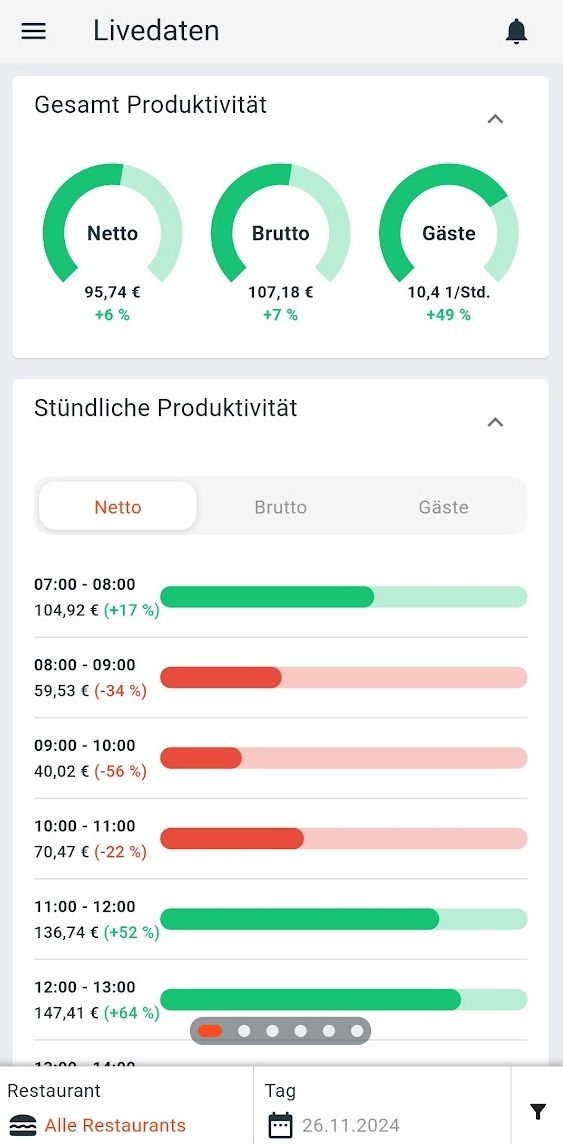
The Live add-on now features Live Productivity, enabling you to:
  • Display net, gross and guest productivity in real time
  • On an hourly basis and in the daily view
  • From various time recording systems
Supported systems:
  • MyStore with SOTEC TD time recorders
  • Crew hours from any system that synchronizes with MyStore (e.g., Reflexis, Easy@Work) can be displayed in Webcockpit. This generally includes any system whose crew hours are visible in the MyStore hourly sales report.
  • MeinDienstplan
  • Nesto
Live Productivity is available now for all Webcockpit PRO subscriptions with enabled Live Addon. Currently, the display is only possible in the Webcockpit smartphone app. We are working on integrating live productivity into our desktop dashboards and our in-store dashboard.

Further information: Documentation

Live Dashboard

SOTEC Player

The SOTEC Player is a piece of hardware that can be purchased in addition to a Webcockpit PRO subscription. The player can be connected to any monitor / TV and displays dashboards configured in Webcockpit without logging in after the initial setup.

Further information: Documentation

SOTEC Player

BMD Masterdata

The BMD master data module provides an interface for exporting bookings from the restaurant ERP (MyStore) as a CSV file compatible with the BMD accounting software. The current beta version supports the cash area. Inventory and petty cash will follow.

Further information: Documentation

BMD Masterdata

Comparables

The Comparable dashboard gives you detailed information about the development of your sales, guests and average sales compared to last year. In doing so, you can look at how individual or all restaurants compare to your organization or the market. A ranking of restaurants allows you to rank your restaurants in the market.

Further information: Documentation

Comparables

Management Dashboard

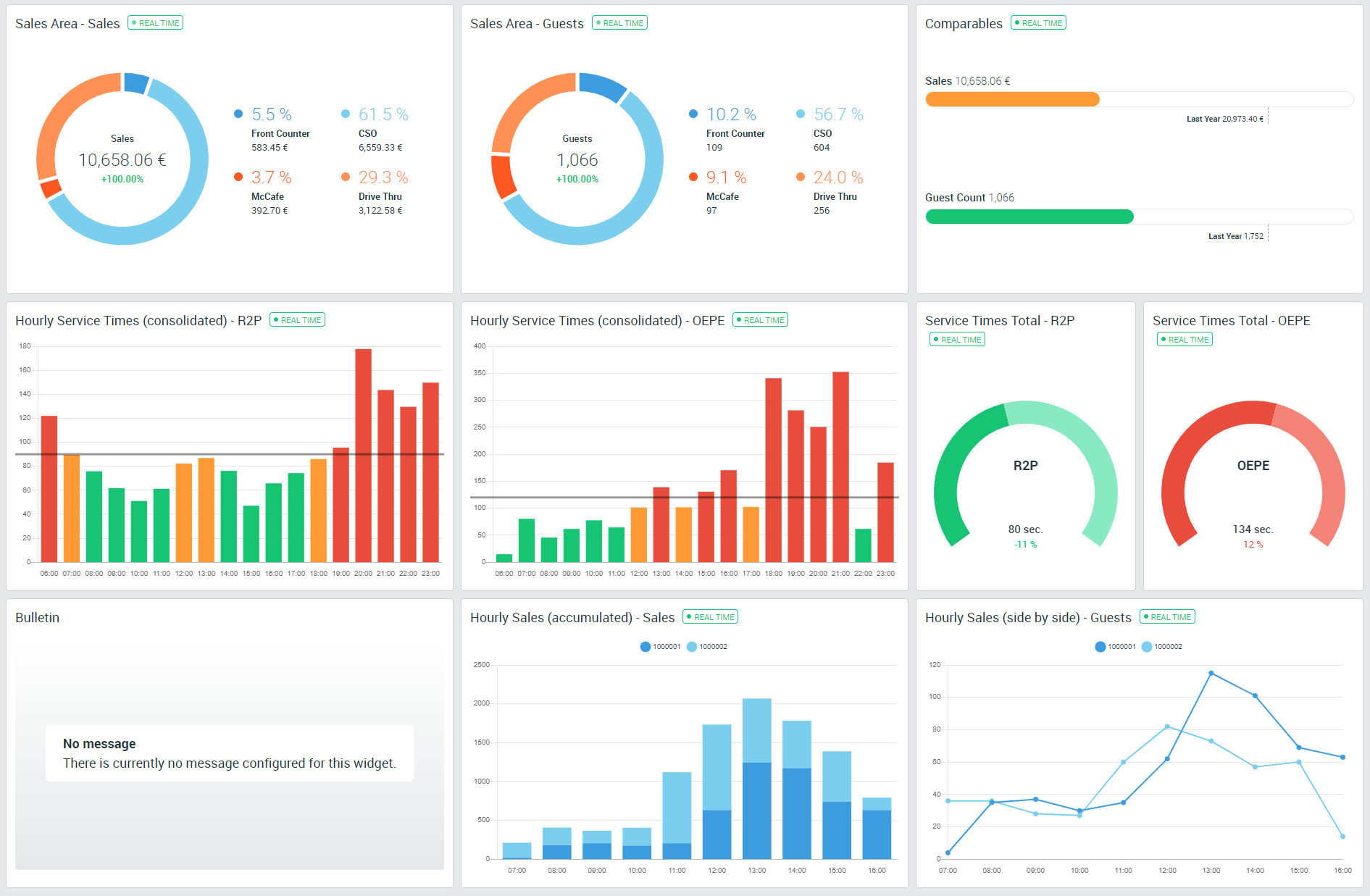
Our new dashboards enable the visualization of key figures, such as hourly sales or service times. Webcockpit users can define the appearance and structure of the dashboard themselves or use ready-made dashboard layouts. Depending on the chart type, there are additional settings, e.g. the definition of threshold values, the exceeding of which visually highlights the key figures.

Further information: Documentation

Management Dashboard

Payment Details

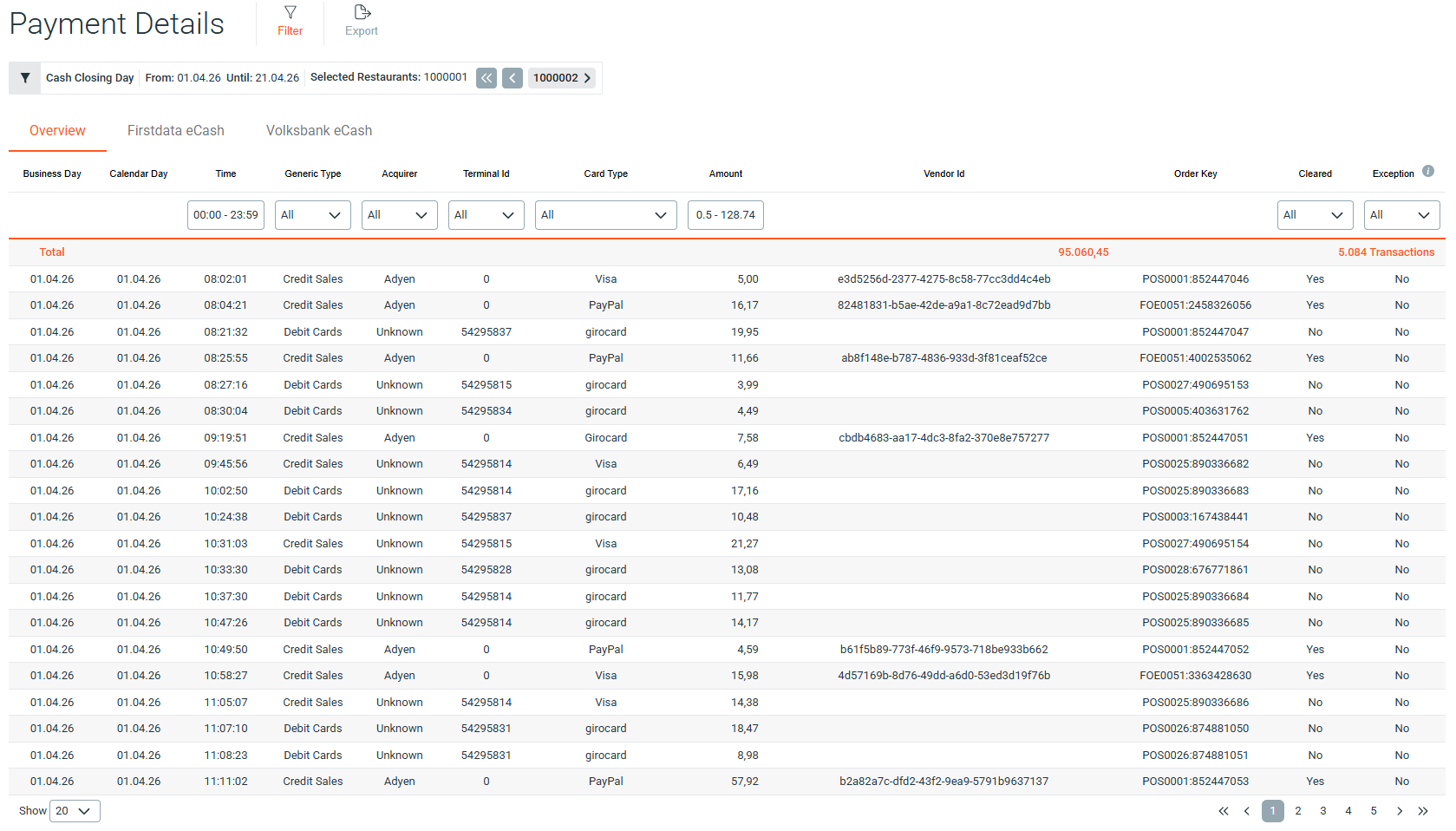
Keep full control over every booking. The payment detail view provides all essential eCash transaction data at your fingertips.
  • Detailed Insights: Retrieve timestamps, card types, transaction statuses, and reference numbers for each payment.
  • Simplified Reconciliation: Streamline the auditing of digital sales and perform direct comparisons with POS system data.
  • Rapid Troubleshooting: Identify errors or declined transactions within seconds through detailed status messages.
Key Benefit: Achieve full transparency of your digital cash flow while significantly reducing manual effort.

Further information: Documentation

Payment Details

Expected Payments

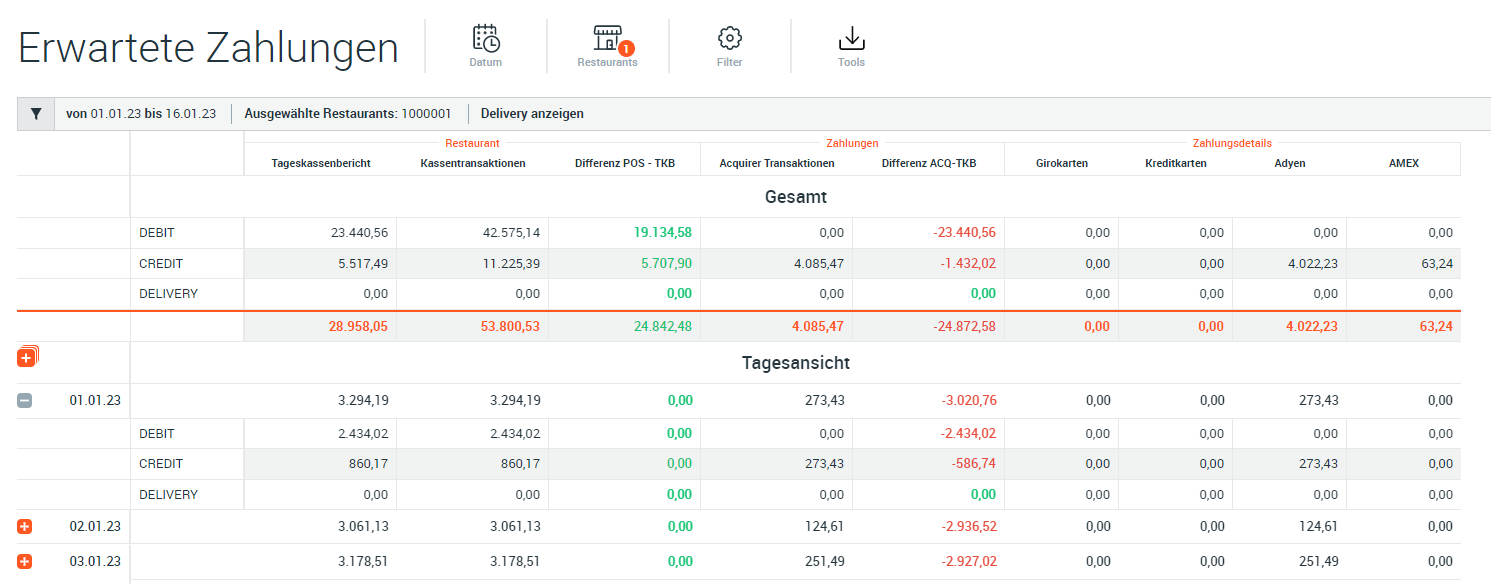
This new module allows reconciliation of card payments (daily cash report, per business day) with the individual transactions of the POS system and payment service providers (Gestalterbank, FirstData, Ayden). The goal is to create a report that allows users to see at a glance if all payments are balanced.

Further information: Documentation

Expected Payments

Food & Paper Cost

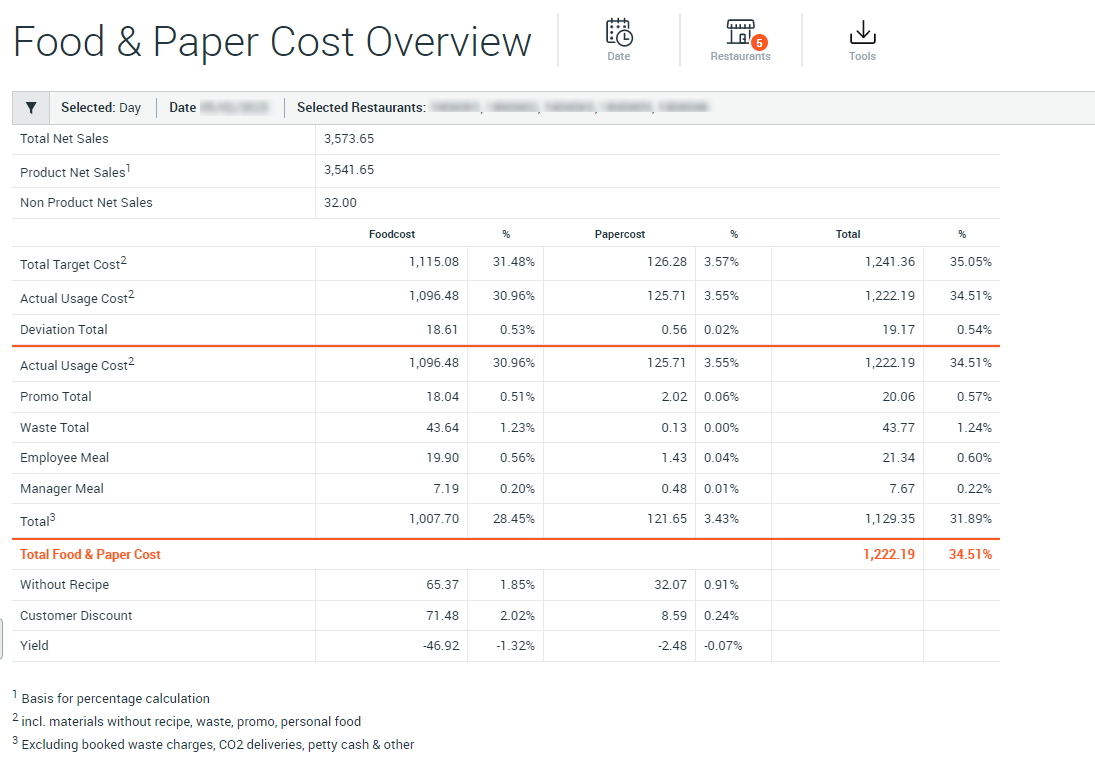
The Food & Paper Costs report allows a detailed view and analysis of the material costs incurred. The report is available for all restaurants that have activated the inventory module in MyStore.

Further information: Documentation

Food & Paper Cost

API Management

Webcockpit Connect is a collection of software interfaces that you can access to consume and process restaurant data. The focus here is not on a graphical user interface, but on the possibility for third party applications to get data from Webcockpit. You have full control over this.

Further information: Documentation

API Management

Production Lines

The Live add-on now features Live Production line data, enabling you to view per kitchen line:
  • Sandwich Count
  • MFY Initiation Time
  • Guests
Live Production lines is available now for all Webcockpit PRO subscriptions with enabled Live Addon. Currently, the display is only possible in the Webcockpit smartphone app. We are working on integrating live productivity into our desktop dashboards and our in-store dashboard.

Further information: Documentation

Production Lines

Customer Satisfaction

The Customer Satisfaction module gives you an overview of the results of customer surveys. The module is available on the website and the mobile app. In addition, the module includes a ranking function, with which you can directly see in which segment your restaurant is located.

Further information: Documentation

Customer Satisfaction

Available Addons

Was this helpful?